The water is finally off. The basement carpet squelches, and the TV stand, the game console and the laptop someone left on the floor were all sitting in it. The first instinct is to plug everything in and see what still works. With water damaged electronics, that single test is the most common way a salvageable device becomes a dead one.
Electronics can often survive water. What they rarely survive is being powered on while wet, or being left to corrode for days while you wait to deal with the rest of the house. This guide covers what to do in the first hour, why the popular fixes do more harm than good, how the type of water changes the outcome, and what professional electronics restoration involves after a Calgary flood, burst pipe or sewer backup.
Table of Contents
- Why you should never turn it on to test it
- What to do with water damaged electronics in the first hour
- The rice myth, and what to use instead
- Why the type of water changes everything
- What can be saved: a device-by-device guide
- How professional electronics restoration works
- Water damaged electronics and your insurance claim
- Why Calgary Contents is the right choice for electronics restoration
- Frequently Asked Questions
Key Takeaways
- Never power on water damaged electronics to test them; electricity running through a wet circuit board causes the short circuits that destroy it.
- Unplug at a safe distance, remove batteries if you can, and photograph everything before moving it.
- Rice does not dry electronics and leaves dust and starch inside; open-air drying or silica gel is better, and professional cleaning is best.
- Water leaves minerals and contaminants on circuit boards that keep corroding them after the device looks dry, so speed matters more than drying time.
- Electronics exposed to sewage or overland flood water need professional decontamination before they are safe to use.
Why you should never turn it on to test it
Pure water does not conduct electricity well, but the water in a flooded basement is not pure. It carries dissolved minerals, dirt and whatever else it picked up on the way, and that makes it an effective conductor. When a wet device receives power, current flows along paths it was never meant to take, across the gaps between components, and the resulting short circuits can burn out a board in a fraction of a second.
A device that has not been powered on since it got wet usually still has undamaged circuitry underneath the moisture. That is why the single most important thing you can do is resist the urge to press the power button, plug it in to charge, or turn on the breaker to see if the TV comes on. Many devices that arrive at a restoration facility could have been saved if they had simply been left off.
What to do with water damaged electronics in the first hour
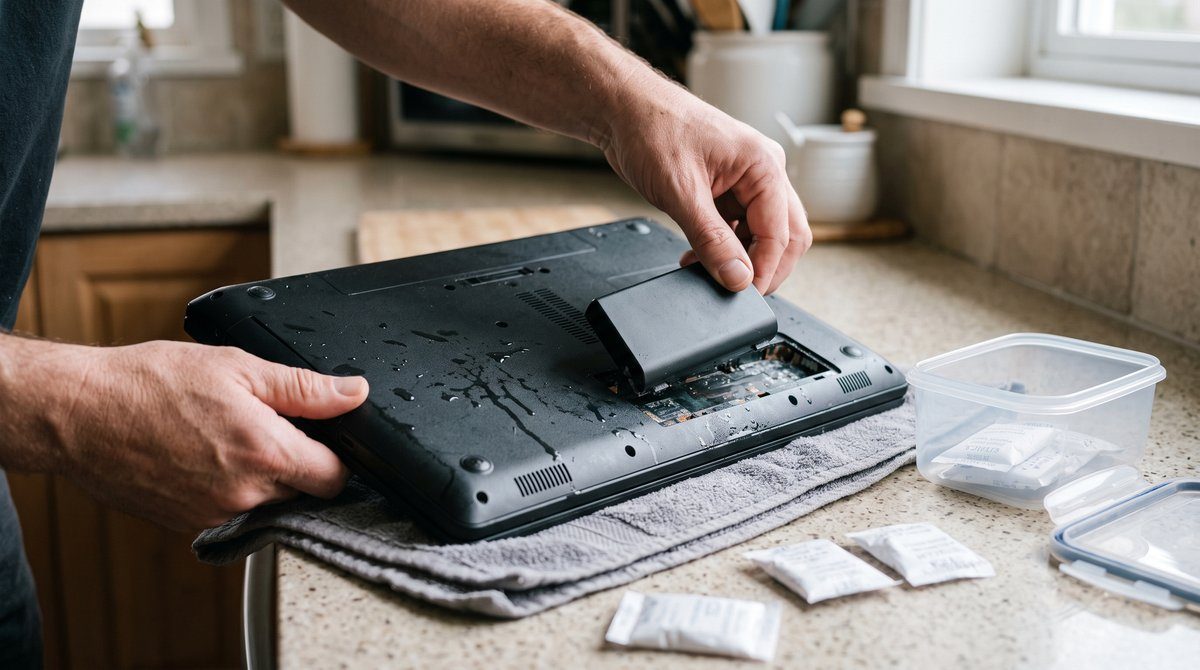
- Make the area safe first. If water is near outlets, power bars or the electrical panel, do not walk into it. Turn off power to the area at the breaker if you can reach the panel from a dry spot; otherwise call an electrician before going in.
- Unplug everything. Once the area is safe, disconnect power cords and cables, and keep devices switched off.
- Remove batteries where you can. Take out removable laptop batteries, remote and controller batteries, and any cells you can access without tools. Do not force open sealed devices.
- Photograph before you move anything. Take pictures of each device where it sat, the water level, and model and serial numbers if they are visible. This is what your insurer will ask for.
- Get devices out of the water and off wet surfaces. Move them to a dry, room-temperature space. Keep them upright and do not shake them, which spreads water further inside.
- Wipe the outside only. Pat exterior surfaces dry with a lint-free cloth. Do not open cases or try to clean circuit boards yourself.
- Get professional help quickly. Corrosion begins as soon as water and minerals sit on metal contacts, and it keeps working even after the device looks dry. The sooner a device is cleaned, the better its chances.
If a lithium-ion battery in a phone, laptop or tool looks swollen, is hot, or smells unusual, do not charge it or try to remove it. Place the device on a non-flammable surface away from anything that could burn and get it assessed; damaged lithium batteries can overheat.
The rice myth, and what to use instead
Burying a wet phone in a bag of rice is the best-known home remedy, and it does very little. Rice absorbs moisture slowly and only from the surface it touches, so it does not reach water trapped inside a sealed device. It also sheds starch and dust that can work its way into ports and speaker grilles. Worst of all, it encourages people to wait a day or two rather than getting the device cleaned, and those are exactly the days corrosion needs.
If you have to wait, open-air drying in a dry room with good airflow is better than rice, and a sealed container with silica gel packets is better still. Do not use a hair dryer, oven or space heater; heat can warp components, damage batteries and bake contaminants onto the board. Calgary’s dry indoor air helps devices dry, but drying alone does not remove what the water left behind.
Why the type of water changes everything
Restoration professionals classify water by contamination under the IICRC S500 standard for water damage restoration, and the category matters as much for your electronics as for your walls.
- Clean water, such as a burst supply pipe, a leaking hot water tank or a spilled drink, gives electronics the best odds if they are cleaned promptly.
- Grey water, such as a washing machine or dishwasher overflow, carries detergents and residue that increase corrosion and need thorough cleaning.
- Black water, meaning sewer backups and overland flood water, carries bacteria and contaminants. Electronics exposed to it must be professionally decontaminated before they are safe to handle and use, and some will not be worth restoring.
There is also a Calgary-specific factor. The city’s tap water is hard, carrying a lot of dissolved calcium and magnesium. When that water dries inside a device, it leaves mineral deposits on the circuit board that can keep conducting current and feeding corrosion long after the moisture is gone. That is why a device that looks dry and seems to work at first can fail days or weeks later.
Electronics caught in a leak or flood? Leave them off and let Calgary Contents assess them before corrosion sets in. Call (403) 407-0208.
What can be saved: a device-by-device guide
Outcomes vary with the water type, how long the device was wet and whether it was powered at the time, but these patterns hold for most household electronics.
| Device | Outlook if cleaned promptly | What to watch for |
|---|---|---|
| Laptops and desktop computers | Often restorable, especially if off when wet | Keyboard and board corrosion; tell us if the data matters most |
| Phones and tablets | Mixed; sealed designs resist water but trap it | Swollen or hot batteries |
| Televisions and monitors | Often restorable if water reached only the base | Water behind the screen can leave permanent marks |
| Game consoles and media players | Often restorable | Water pulled in through vents |
| Audio equipment and speakers | Varies with speaker materials | Paper speaker cones can warp |
| Small kitchen appliances | Often better replaced if inexpensive | Food-contact parts after contaminated water |
Cost matters too. Restoring an inexpensive device may cost more than replacing it, while a high-end computer, a home theatre system or anything holding irreplaceable photos and files is usually worth the effort. Our guide to contents restoration versus replacement explains how that decision is made.
How professional electronics restoration works
Professional restoration removes what the water left behind rather than simply waiting for the device to dry. The process follows the same principles whether the damage came from water or from fire, which we cover in our post on saving electronics after a fire.
- Inventory and assessment. Each device is documented, and its exposure and condition are assessed before any work begins.
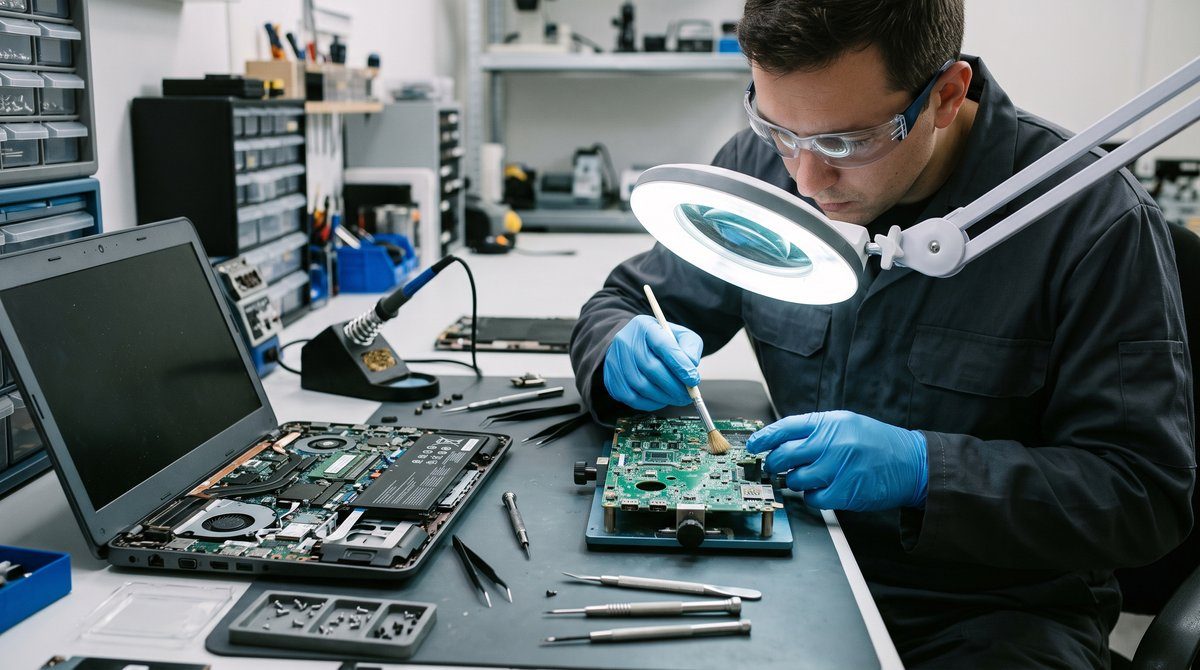
- Disassembly and cleaning. Devices are opened so water, minerals and residue can be cleaned from circuit boards and components with methods suited to electronics.
- Controlled drying. Components are dried thoroughly in a controlled environment, without the heat that damages them.
- Decontamination where needed. Electronics exposed to sewage or flood water are decontaminated before they are safe to handle.
- Testing and documentation. Restored devices are tested before they are returned, and anything that cannot be restored is documented for your insurance claim.
If the data on a computer or hard drive matters more than the device itself, say so at the start. Protecting the data comes first, and it changes the order in which the work is done. Our post on restoring computers and hard drives covers that side in more detail.
Water damaged electronics and your insurance claim
Electronics are part of the contents portion of a standard home policy, so water damage from a sudden event such as a burst pipe is typically covered, subject to your deductible. Sewer backup and overland flooding are usually only covered if you have added those endorsements to your policy, so check before you assume. The Insurance Bureau of Canada’s overview of home insurance is a useful starting point.
Documentation decides how smoothly the claim goes. Keep photos of each device where it was found, model and serial numbers, receipts if you have them, and records of anything that could not be restored. Do not throw damaged electronics away until your adjuster has seen them or approved disposal. Our guide to filing a contents insurance claim in Alberta walks through the full process.
Why Calgary Contents is the right choice for electronics restoration
Calgary Contents restores the belongings inside a home after water and fire damage, and our electronics restoration and cleaning service, which cleans contaminants off and dries devices before corrosion sets in, is built for the devices a leak or flood leaves behind. Our team holds IICRC certifications including water damage restoration, and electronics are handled as part of a complete contents plan rather than one appliance at a time.
We offer rapid response across Calgary, Rocky View County, Airdrie, Beiseker, Chestermere, Cochrane, Crossfield and Irricana. Items that need intensive treatment go to our Calgary facility, anything that cannot be restored is documented for your insurance claim, and we coordinate with your adjuster throughout. For the rest of your home, our water and flood damage contents service covers furniture, textiles, documents and everything else the water reached.
The sooner water damaged electronics are cleaned, the more of them survive. Talk to Calgary Contents before you plug anything in. Call (403) 407-0208 or contact us online.
Conclusion
Water damaged electronics are often more salvageable than they look, but only if they are handled correctly from the start. Keep them powered off, make the area safe, unplug and remove batteries, photograph everything, and move devices somewhere dry without shaking or heating them. Skip the rice. The real threat is the minerals and contaminants the water leaves on circuit boards, which keep corroding them after the surface is dry, and in Calgary’s hard water that residue is significant. Prompt professional cleaning gives laptops, TVs, consoles and computers the best chance of coming back.
Frequently Asked Questions
Can water damaged electronics be fixed?
Often, yes, especially if the device was off when it got wet and was never turned on afterwards. Prompt professional cleaning removes the water, minerals and contaminants that cause corrosion. Devices exposed to sewage or left wet for a long time have lower odds.
How long should I wait before turning on a wet device?
Do not rely on waiting. Drying removes moisture but not the mineral and contaminant residue that causes short circuits and corrosion, so a device can seem dry and still fail when powered. If it matters to you, have it cleaned and tested before you turn it on.
Does putting electronics in rice work?
Not well. Rice absorbs moisture slowly, does not reach water trapped inside the device, and can leave starch and dust in ports. Open-air drying or silica gel is better, and professional cleaning is best because it removes what the water left behind.
Are electronics safe to use after a sewer backup or flood?
Not until they have been professionally decontaminated. Sewage and overland flood water carry bacteria and contaminants into vents and onto circuit boards. Some devices can be decontaminated and restored; others are safer and cheaper to replace.
Does home insurance cover water damaged electronics?
Usually, when the water came from a sudden event such as a burst pipe, as part of the contents coverage on a standard Alberta home policy. Sewer backup and overland flood damage are generally only covered with the matching endorsements. Photograph everything and keep damaged devices until your adjuster approves disposal.
Is it worth restoring an electronic device instead of replacing it?
It depends on the device’s value and what is on it. High-end computers, home theatre equipment and anything holding irreplaceable files are usually worth restoring, while inexpensive small appliances are often cheaper to replace. A professional assessment makes the comparison clear.